
Your warehouse stock, inside HubSpot.
Inventory & Warehouse Management tracks items, stock per warehouse, transfers, reservations and consumption directly in your CRM. Your team sees what is in stock, where it is and what is actually available, without a separate system.
 app.hubspot.com / inventory-items
Stock in one tool, customers in another.
When inventory lives in spreadsheets or a separate system, sales and operations work with numbers that do not match. Jobs get promised with parts that are already allocated elsewhere.
No clear view of how much stock sits in each warehouse. Parts promised to a job get used by another one. Transfers and corrections with no history behind them. Low stock noticed only when the shelf is empty.
One inventory system, where your team already works.
The app adds Warehouses, Inventory Items and Stock Levels to HubSpot and creates them automatically at install. Every operation updates the right warehouse and writes a movement, so the numbers are always traceable.
This is what your team sees on the record.
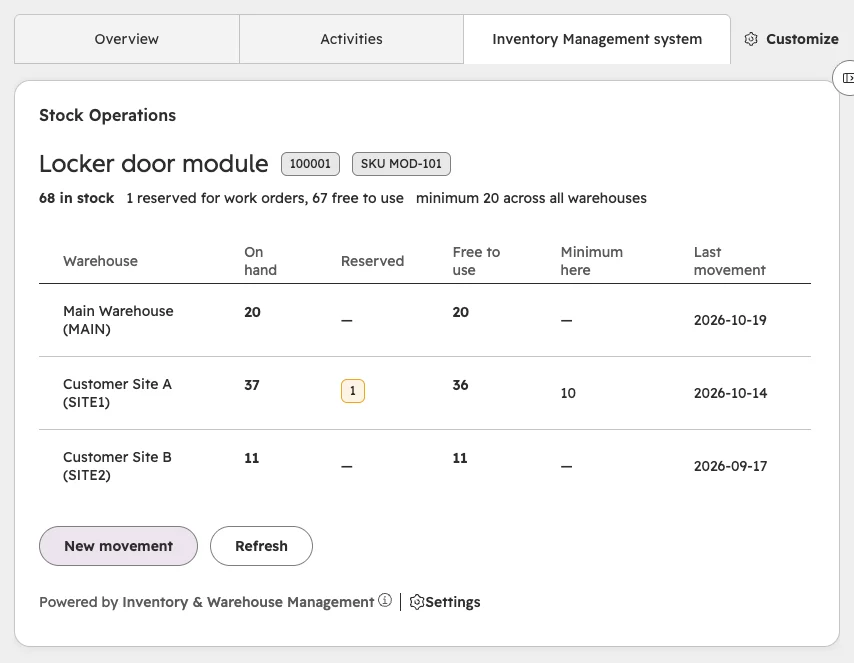
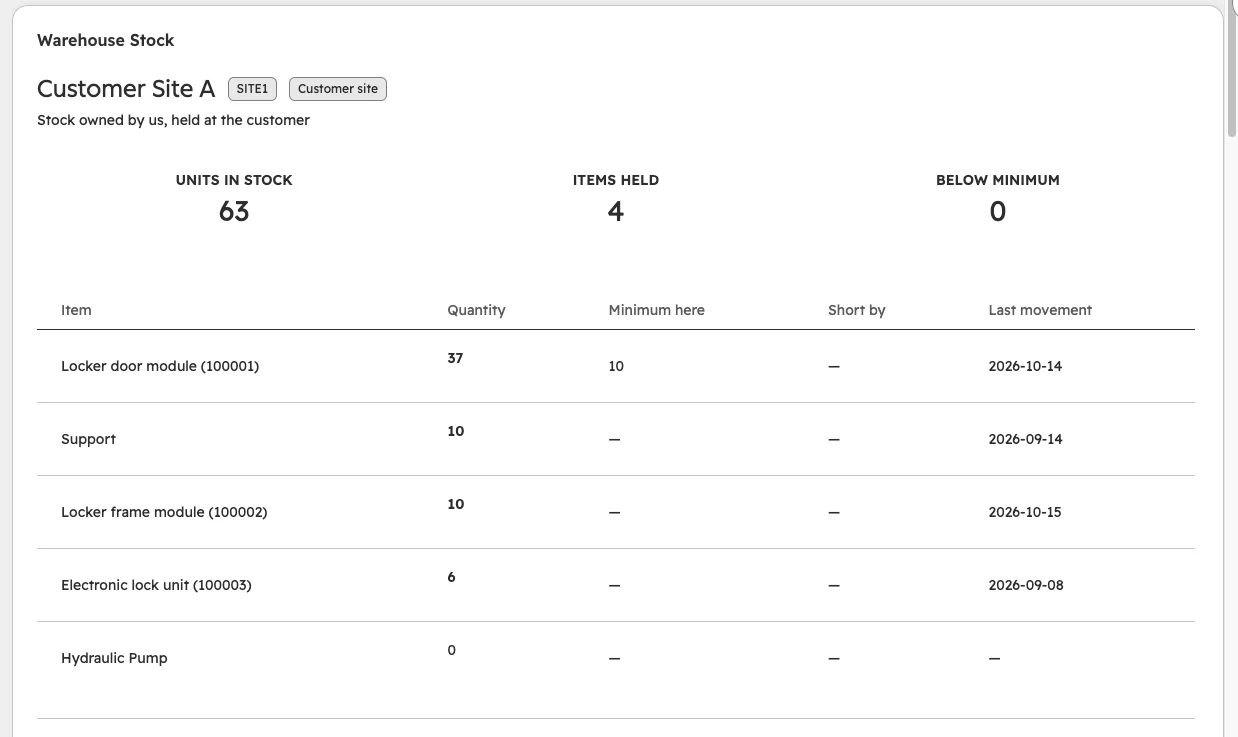
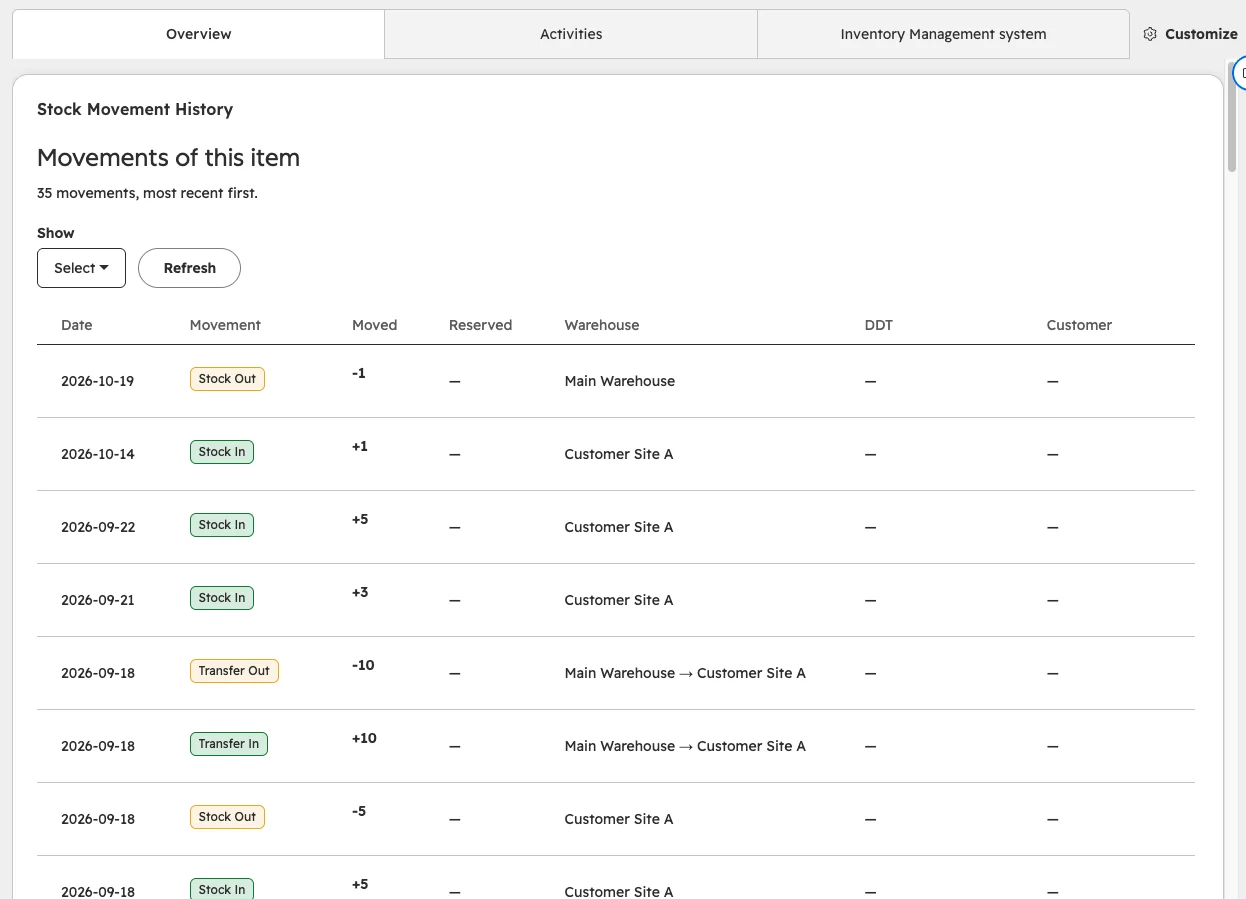
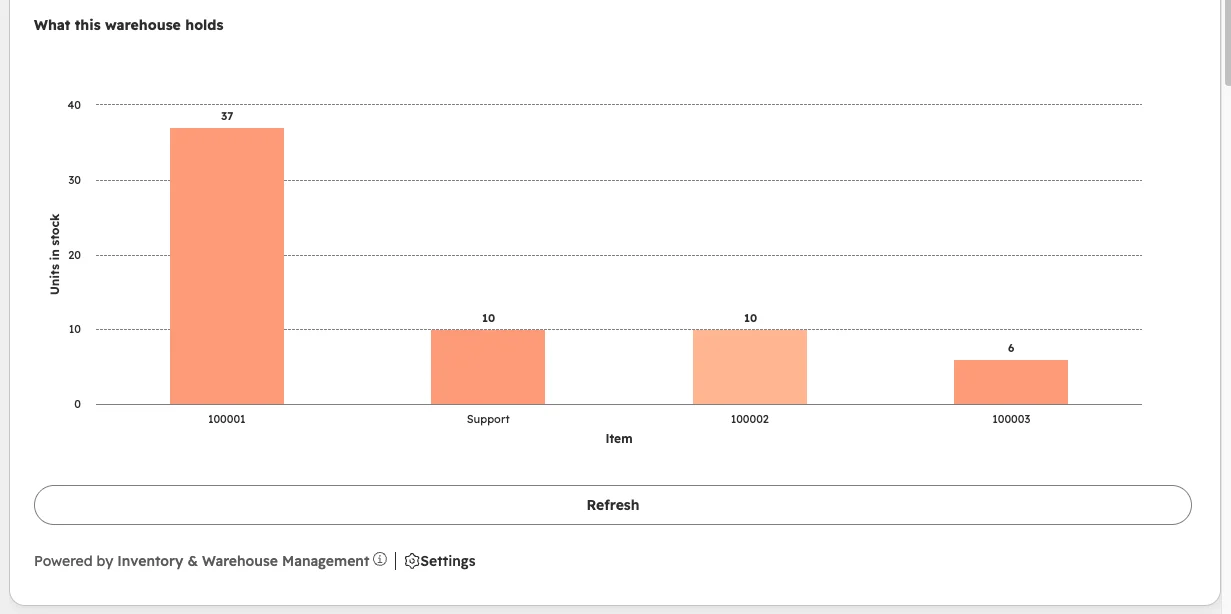
Real screenshots from a live HubSpot portal: stock per warehouse on the item, what each warehouse holds and the full movement history.
Everything you need to run stock across locations.
Multi-warehouse
Same item, different quantities per warehouse, with a consolidated total.
Stock In and Stock Out
Record arrivals and outgoing goods. The app blocks stock outs above what is available.
Transfers
Move stock between warehouses. Distribution changes, the total stays the same.
Adjustments
Correct quantities after counts, damage, losses or data-entry errors.
Reservations
Set stock aside for a Work Order, release it or consume it when the job is done.
Minimum stock
Low stock is calculated on available quantity, not just what is on the shelf.
Movement history
Every operation is recorded: item, quantity, warehouse, date, customer, Work Order.
Reporting
Stock by item and warehouse, shortfalls, recent movements and movements by type.
Automatic setup
Objects and properties are created at install. No manual build in HubSpot.
On hand, reserved, available. Never mixed up.
A reservation keeps stock in the warehouse but takes it out of what other jobs can use. That is why an item can be low stock even when the shelf looks full.
Built for teams that sell, install and service.
Maintenance and service
Spare parts reserved and consumed on each Work Order, with full traceability.
Multiple locations
Main, regional, service and customer warehouses managed in one place.
Components and accessories
Know what you can promise before you quote or schedule a job.
Operations
Counts, corrections and transfers recorded with who, what and when.
HubSpot Solution PartnerBuilt by Piceci ServicesMade by the team behind Timezone Sync.
Inventory & Warehouse Management is developed and supported by Piceci Services, HubSpot Solution Partner, the same team that built the Current Time Card (Timezone Sync) app. It connects through the standard HubSpot OAuth flow and installs and uninstalls cleanly.
Developed, maintained and supported by Piceci Services. Secure connection through HubSpot OAuth. Works with HubSpot custom objects such as Work Orders. Direct support from a HubSpot Solution Partner.

Install and configure it step by step.
Install, warehouses, items, movements, reservations, troubleshooting and uninstall: everything in the public setup guide.
See it on a demo portal, then on yours.
30 minutes with Alessio. We show you the app on a sample portal and set it up on yours.

- 30 minutes · no commitment
- Setup with your warehouses
- Live calendar availability